Attribute Mapping
The Attribute Mapping page lets you map PrestaShop product attributes and product features to Facebook catalog columns — so the right data ends up in fields like size, color, gender, material, and custom_label_*.
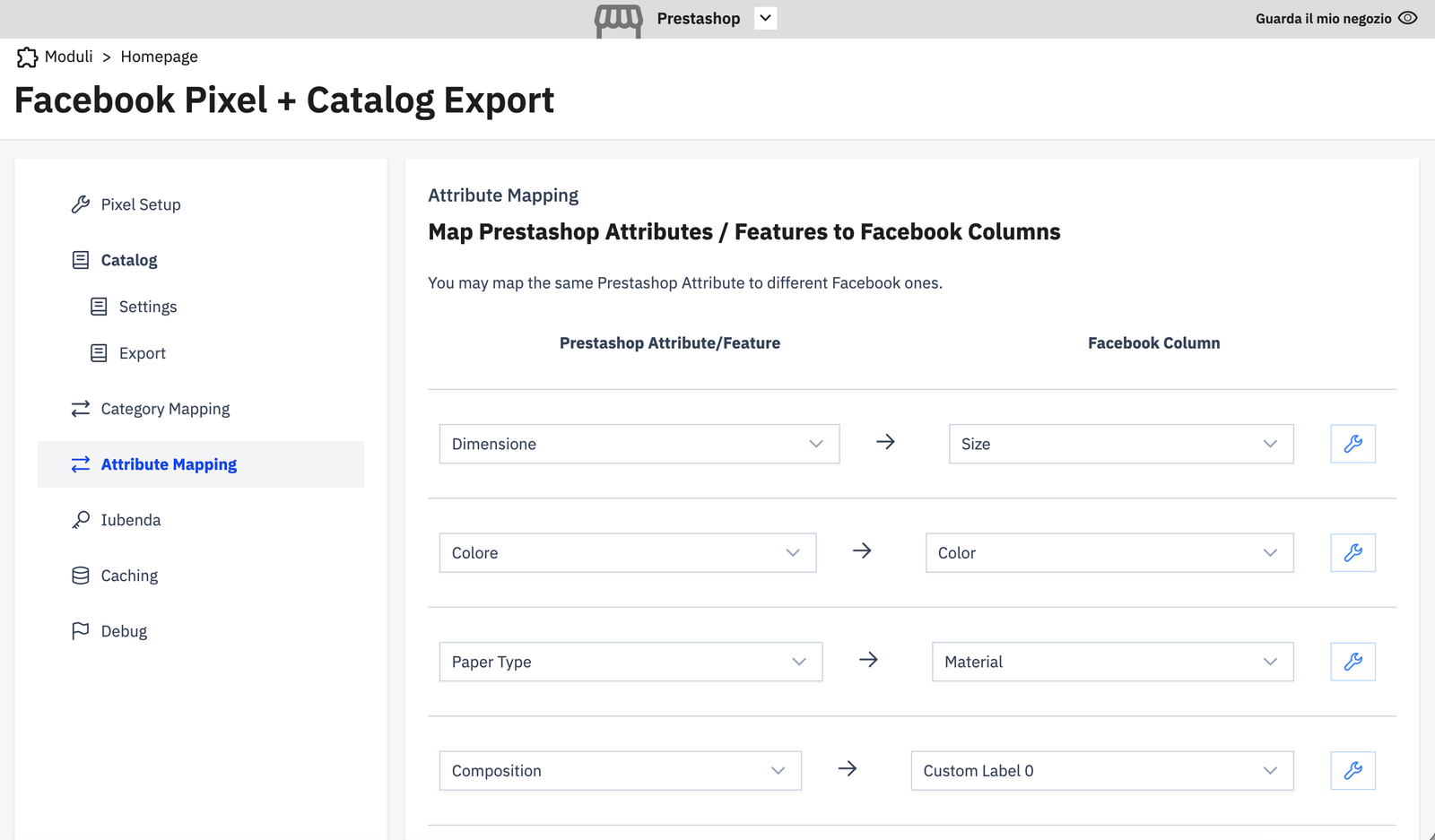
How it works
PrestaShop has two ways to define product characteristics:
- Attributes — values that create product combinations (e.g. Size: S/M/L, Color: Red/Blue)
- Features — non-combination characteristics (e.g. Material: Cotton, Country of Origin: Italy)
Both can be mapped to Facebook catalog columns. The same PrestaShop attribute or feature can be mapped to multiple Facebook columns if needed.
Facebook columns available for mapping
| Facebook Column | Description |
|---|---|
| Size | Physical size of the product |
| Color | Product color |
| Gender | Target gender (Men / Women / Unisex) |
| Material | Primary material |
| Pattern | Product pattern or graphic print |
| Age Group | Target age group (newborn / infant / toddler / kids / adult) |
| Custom Label 0–4 | Free-use labels for campaign segmentation |
| Additional Variant Attribute | Any other variant attribute not covered above |
Adding a mapping
For each row:
- PrestaShop Attribute/Feature — select from the dropdown (shows all attributes and features in your store).
- Click the → arrow.
- Facebook Column — select the target Facebook column.
- Click the save icon (✎) to save.
Example
| PrestaShop Attribute/Feature | Facebook Column |
|---|---|
| Dimensione (Size attribute) | Size |
| Colore (Color attribute) | Color |
| Paper Type (Feature) | Material |
| Composition (Feature) | Custom Label 0 |
Tip
Map your most important attributes first — Size and Color are especially valuable for dynamic product ads, as they allow Facebook to show the correct variant image and details to each user.