Catalog Settings
The Catalog Settings page controls the general configuration applied to all catalog exports. Some of these settings also affect how product IDs are formatted in tracking events.
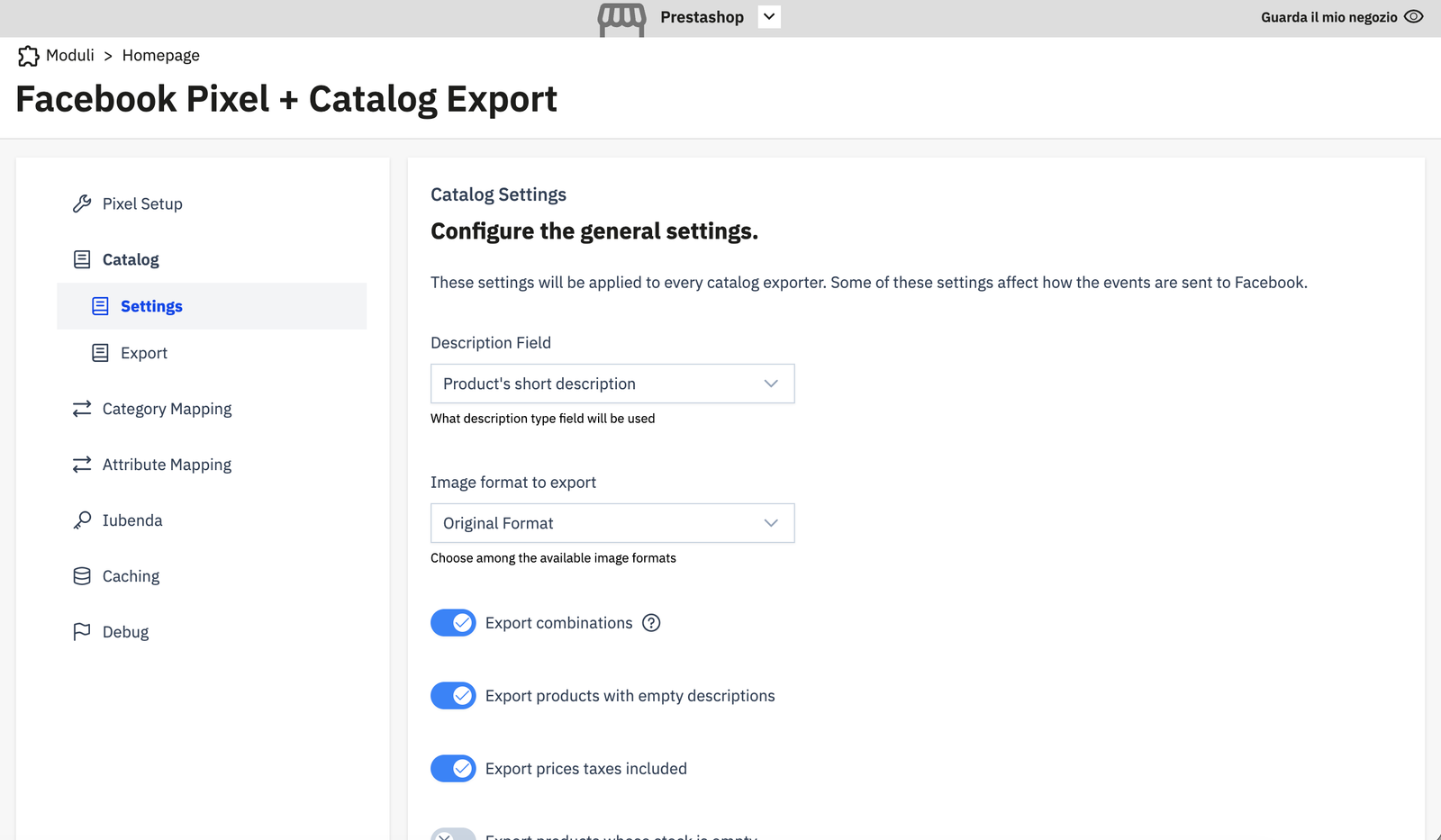
Description Field
Which product description to use in the exported catalog feed.
| Option | Description |
|---|---|
| Product's short description | Uses description_short — shorter, usually better for ads |
| Product's long description | Uses the full description field |
Image Format to Export
Which image size/format to include in the image_link feed column. Choose from the image formats defined in your PrestaShop image settings (e.g. Original Format, Home, Large, Medium, etc.).
Export Combinations
When enabled, product combinations (variants) are exported as separate rows in the feed, using a compound ID in the format {id_product}-{id_product_attribute} (e.g. 42-7).
When disabled, only the base product is exported, and all tracking events use the base product ID.
Warning
This setting affects not only the catalog feed but also how product IDs appear in all tracking events (AddToCart, Purchase, ViewContent, etc.). Changing it after your catalog is already indexed by Facebook may cause ID mismatches. Coordinate with your Facebook catalog setup before changing this.
Export Products with Empty Descriptions
When enabled, products without a description are included in the export. When disabled, they are skipped.
Export Prices Taxes Included
When enabled, prices in the feed include tax. When disabled, pre-tax prices are used.
Export Products Whose Stock is Empty
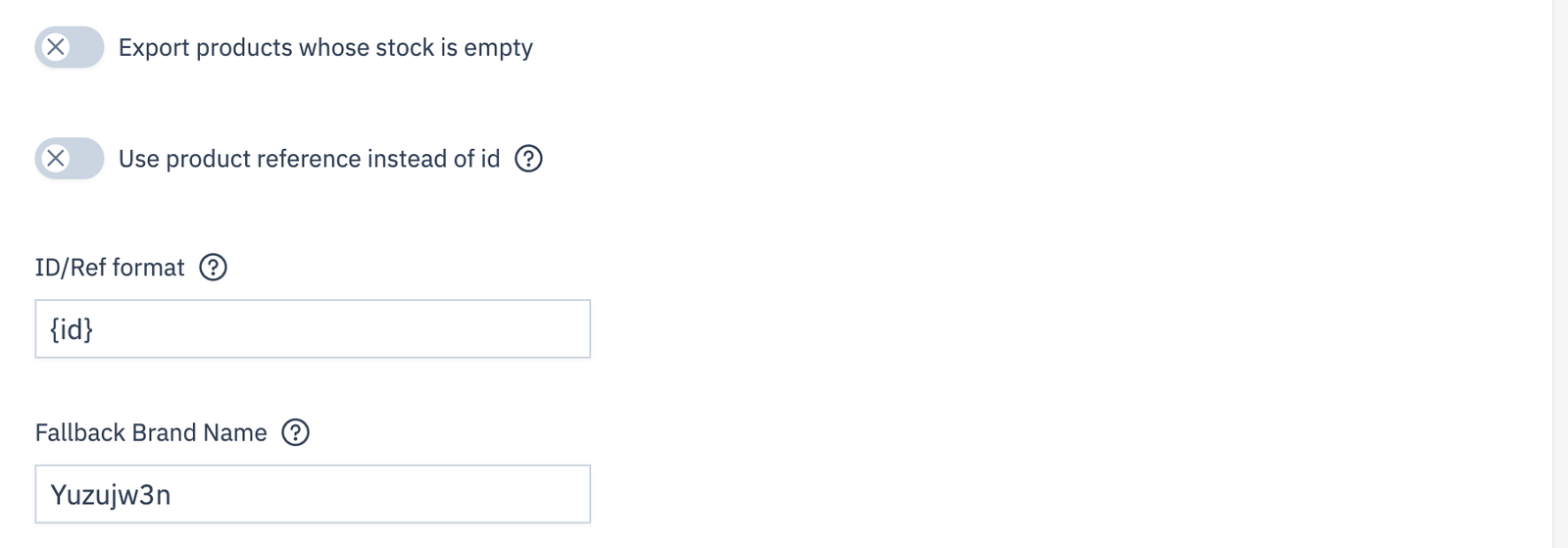
When enabled, out-of-stock products are included in the export (with availability: out of stock). When disabled, they are omitted.
Use Product Reference Instead of ID
When enabled, the id column in the feed (and in tracking events) is derived from the product reference field rather than the numeric PS product ID.
ID/Ref Format
A template string for the product ID. Use {id} as a placeholder for the numeric ID (or {ref} for the reference, when "Use product reference" is enabled).
Examples:
- {id} → 42 (plain numeric ID, the default)
- ps_{id} → ps_42
- {ref} → MY-SKU-001 (when using reference mode)
Note
When export combinations is enabled the id will be like {id_product}-{id_product_attribute} if you use {id}.
Otherwise it will be the combination's {ref} with a fallback on the product's {ref} if no value is set.
Fallback Brand Name
If a product has no manufacturer assigned in PrestaShop, this value is used as the brand column in the catalog feed. Useful when some products lack a brand.