Caching
The module maintains its own cache layer, independent of PrestaShop's native cache. It is used primarily to reduce database queries during catalog generation and pixel resolution.
What is cached
| Cached item | Description |
|---|---|
| Pixel row (per shop/country/currency) | The best-matching pixel configuration for a given context. Cached for 24 hours in the frontend cache. |
| Pixel setting row | Iubenda and debug flags for the current shop. Cached for 24 hours. |
| Category tree | PS category hierarchy used for catalog export and mappings. Invalidated on category add/update/delete. |
| All categories flat list | Used for mapping UI dropdowns. Invalidated on category add/update/delete. |
| Product fetcher results | Catalog product rows. Used during chunked export. |
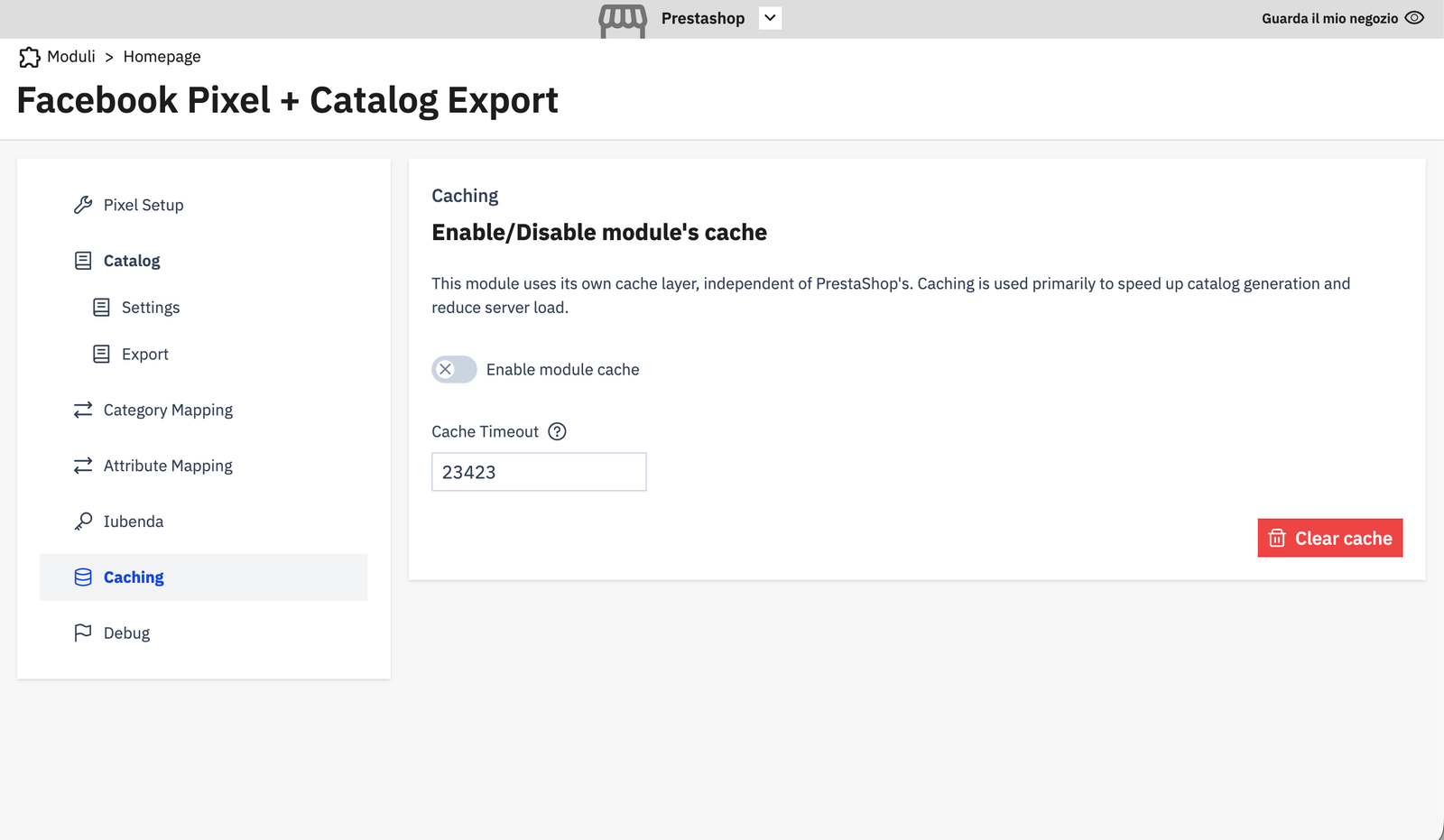
Enable module cache
Toggle Enable module cache to ON to activate the cache. When disabled, every request queries the database directly.
Cache Timeout
Time in seconds before cached items expire. The default is a large value; set it based on how frequently your pixel configuration or catalog data changes.
A value of 0 means items expire immediately (effectively disabling caching even when the toggle is ON).
Clearing the cache
Click Clear cache to immediately invalidate all cached items. Do this after:
- Adding or changing a pixel configuration.
- Changing catalog settings that affect how products are exported.
- Any configuration change that is not reflected on the storefront as expected.
Note
The backoffice (Symfony DI) cache and the frontend (FilesystemAdapter) cache are separate. The Clear cache button clears both. Category changes (add/update/delete) automatically invalidate the category-related cache keys without requiring a manual clear.