Category Mapping
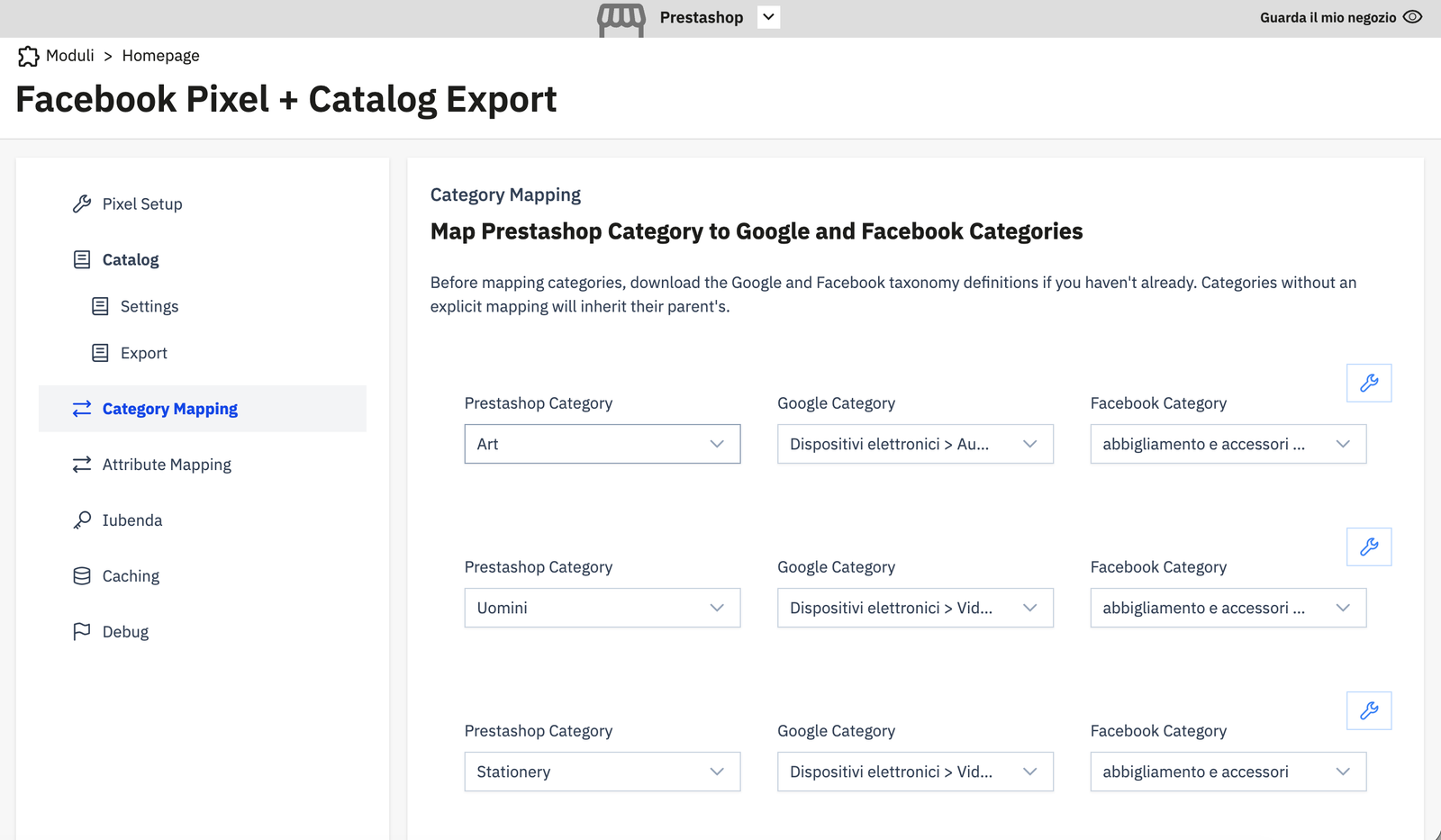
The Category Mapping page lets you map your PrestaShop categories to Google Product Categories and Facebook Product Categories — the taxonomy values that appear in the google_product_category and fb_product_category columns of your catalog feed.
Why this matters
Facebook uses category taxonomy to understand what your products are and serve them to the right audiences. Correct category mapping improves ad relevance and catalog quality scores in Meta Commerce Manager.
Downloading the taxonomy
Before mapping, download the taxonomy definitions from Meta:
- Google Product Taxonomy — download from Google
- Facebook Product Category — available in the module's Category Mapping interface via the download button
The module stores these taxonomy lists in the database (fbp_google_category, fbp_facebook_category). Click the download/refresh button in the interface to fetch the latest taxonomy.
Adding a mapping
For each row:
- PrestaShop Category — select the PS category to map.
- Google Category — select the matching Google taxonomy entry.
- Facebook Category — select the matching Facebook taxonomy entry.
Click the save icon (✎) on the right to save the row.
Category inheritance
Categories without an explicit mapping inherit from their parent. You do not need to map every leaf category — map at the top level where possible, and leaf categories will use the parent's mapping automatically during export.
Example
| PS Category | Google Category | Facebook Category |
|---|---|---|
| Clothing | Apparel & Accessories > Clothing | Clothing & Accessories |
| Shoes | Apparel & Accessories > Shoes | Shoes |
| Art | Arts & Entertainment > Hobbies & Creative Arts | Art Supplies |